 Nirama
Nirama Solutions
The risk matrix your steering meeting wants
Every project tracks its risks in a spreadsheet nobody opens between steering meetings. FastRisk makes risks ordinary Jira issues: assess any issue on tap-friendly 1–5 scales and it appears on the matrix. No import, no sync, no shadow database.
- On the Atlassian Marketplace
- Runs on Atlassian
- No data egress
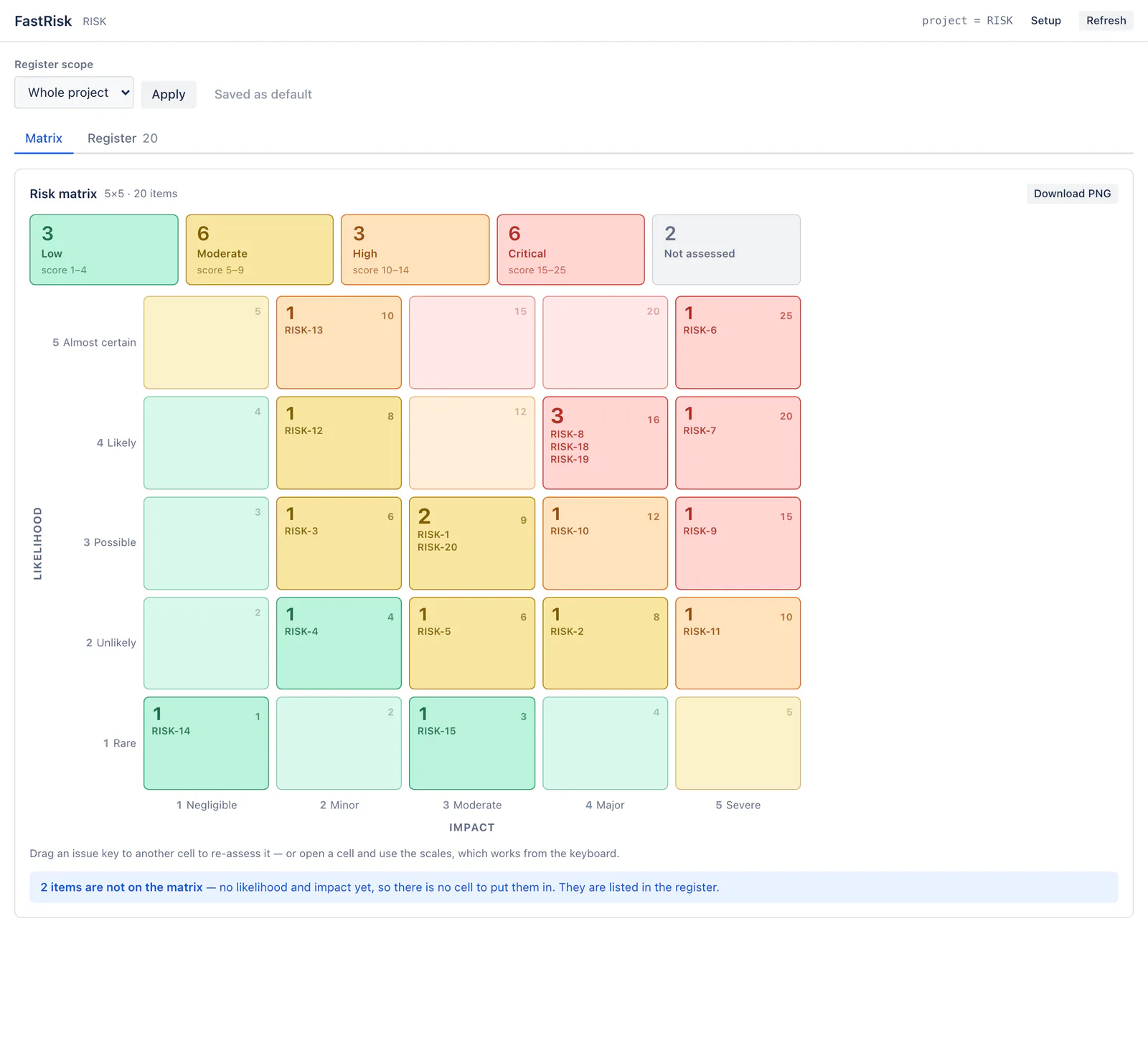
Risks are Jira issues, not rows in a second database
The assessment lives in real Jira custom fields on your own issues. That is not an implementation detail — it is the whole point.
Queryable in JQL
"Risk score" >= 15 works in Jira's own search, in a saved
filter, on a board, and in any dashboard you already have.
Six fields, and only six
Likelihood, impact, score, RAID type, mitigation and review date. The platform restricts FastRisk to the fields it owns, so no summary, status, assignee or other app's field is reachable — by construction.
No personal data at all
Not a name, not an email address, not even an Atlassian account ID. Risk owners are read from Jira when a page is rendered and never written to app storage.
From the matrix to the meeting
A RAID log, not just risks
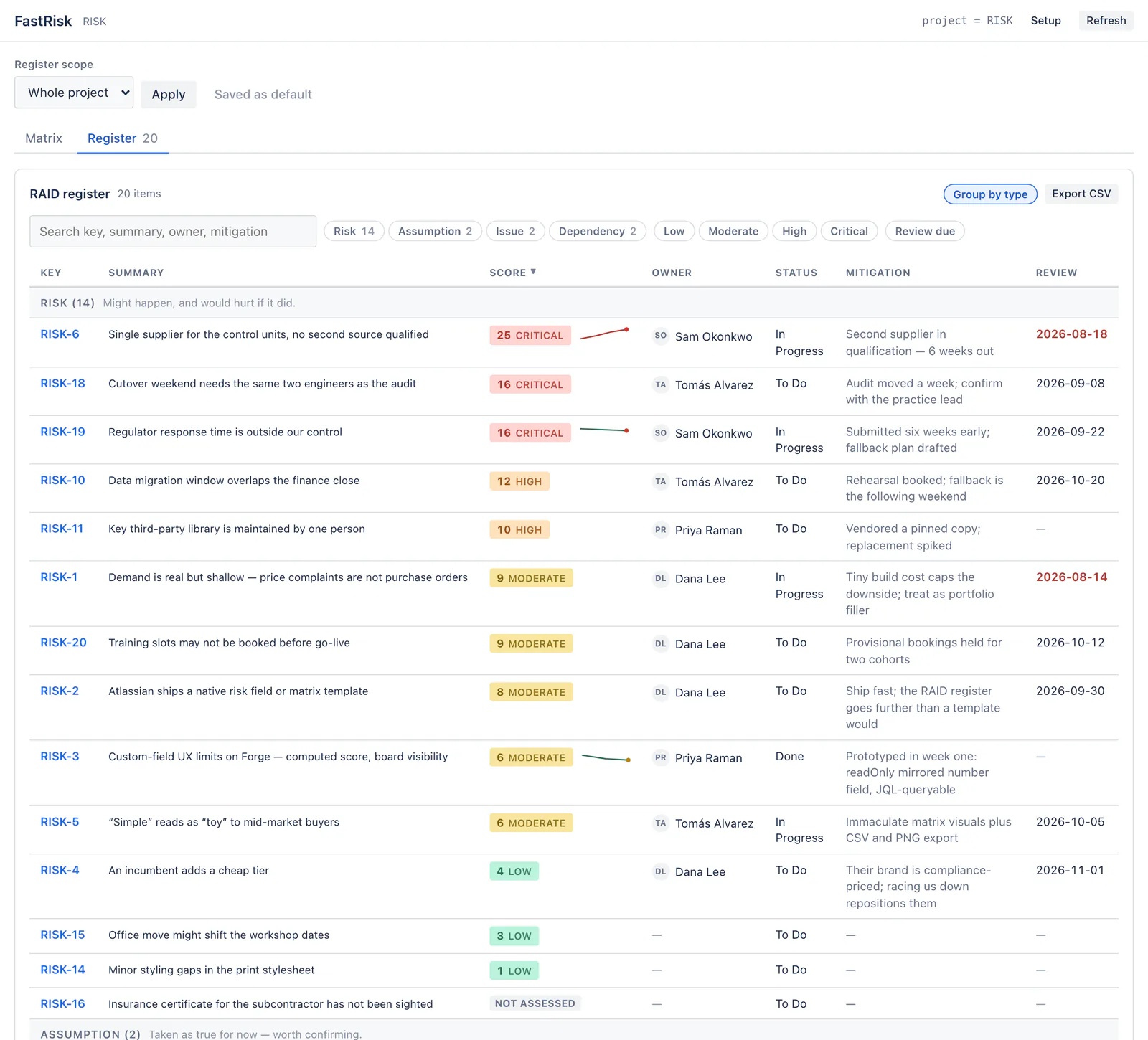
Risks, Assumptions, Issues and Dependencies in one register, grouped by type, sortable on every column, searchable across key, summary, owner and mitigation. An untyped item reads as a Risk, so a team that only wants a risk register never has to learn the taxonomy.
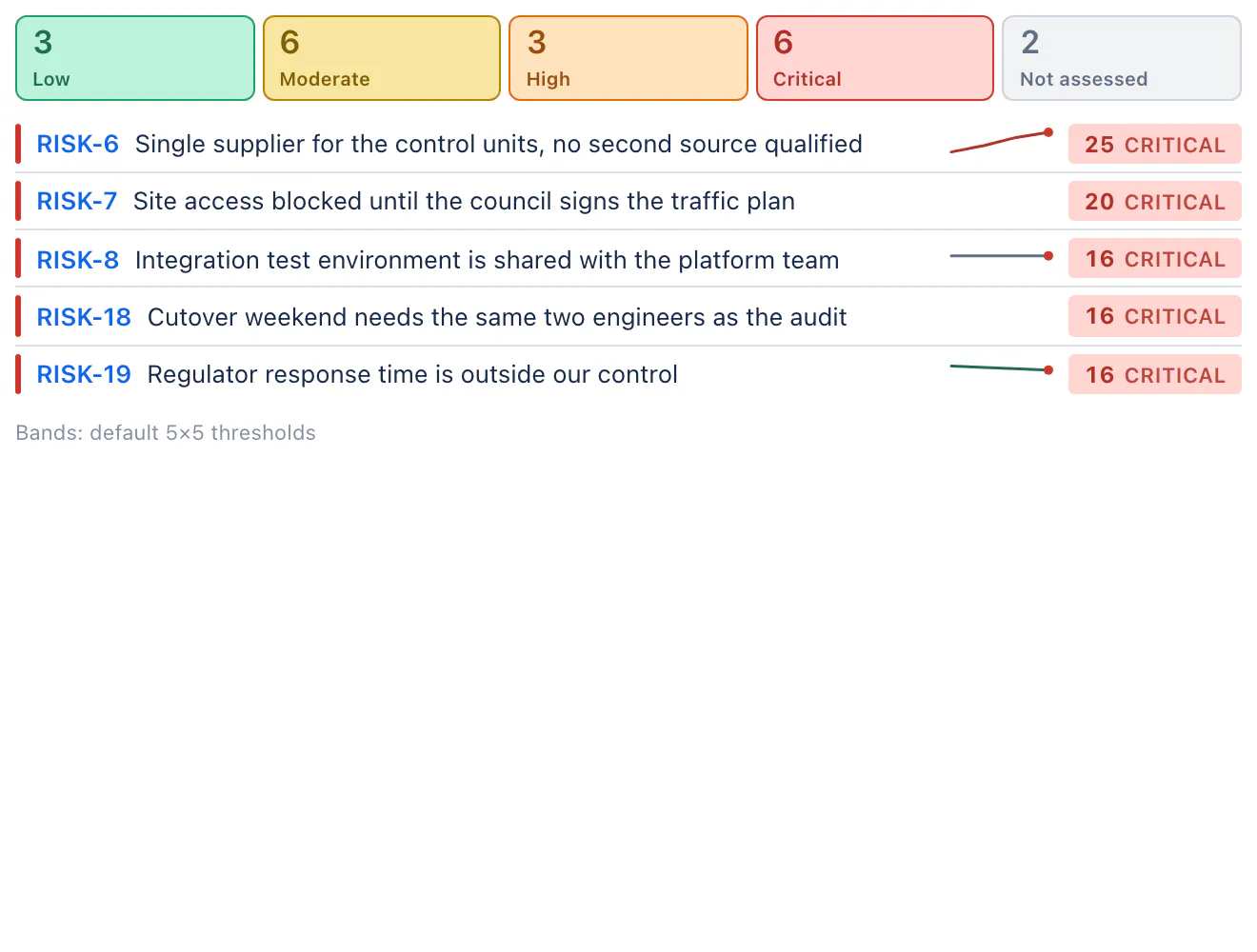
Each risk carries a sparkline of its score over time, so “this one is getting worse” is visible without reading numbers.
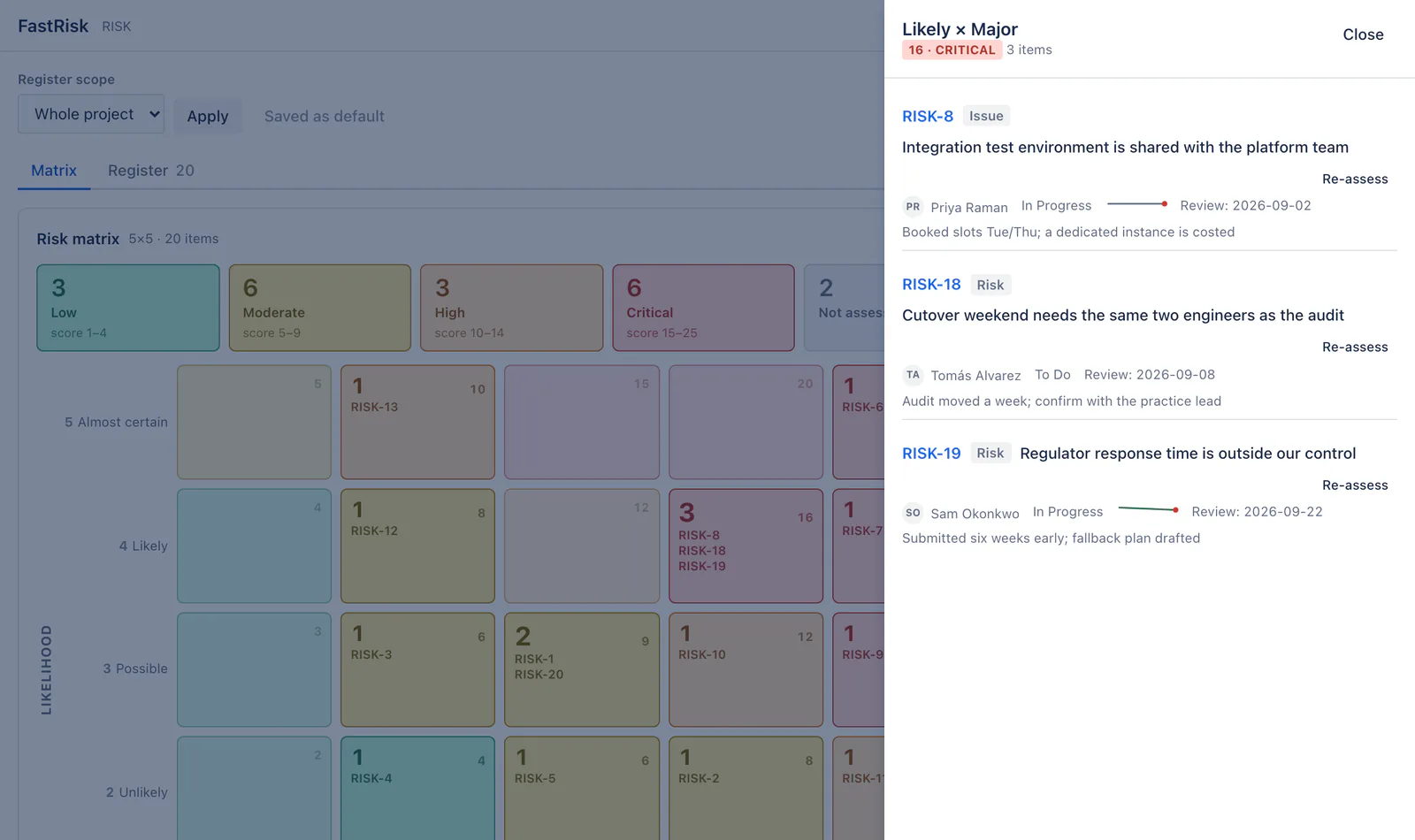
Open a cell, see what is in it
Click any cell for the risks inside: key, summary, owner, status, mitigation, review date, and a click through to the issue. Re-assess from the drawer — the accessible route to the same change that dragging makes.
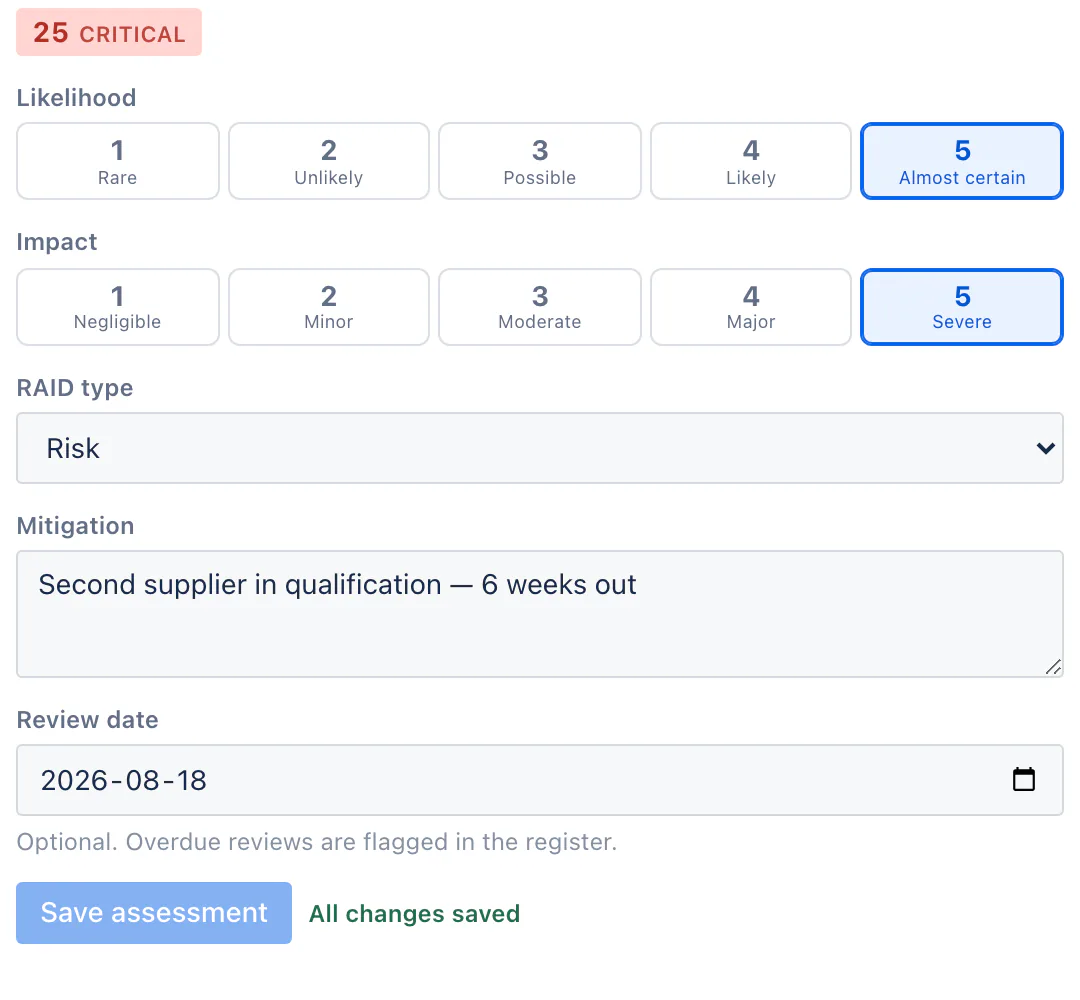
Assess without leaving the issue
The assessment panel sits on the issue and needs no screen configuration at all. Likelihood and impact on 1–5 scales, the score and band computed as you pick.
The portfolio view
A dashboard gadget spanning any JQL you like — several projects, a programme, the whole site — showing how much sits in each band and the top risks worst-first. Each viewer sees only the issues they could already find in Jira's own search.
What FastRisk does not claim
We would rather you find this here than after you install.
It is not a compliance tool
No control libraries, no audit trails against a framework, no evidence workflows, no attestations. If your organisation needs validated compliance processes, FastRisk is not that product.
Fields are invisible on the issue view until an admin adds them to screens
They are queryable in JQL immediately and the assessment panel needs no screen setup at all — so this costs inline visibility, not function.
Band names on native Jira surfaces are the app defaults
A project that retunes its thresholds sees its own wording inside FastRisk and the defaults in Jira's list view, issue navigator and notification emails. A field formatter is a static expression and cannot read per-project configuration.
Drag re-assessment is pointer-only
Drag-and-drop cannot be driven from a keyboard. The cell drawer's Re-assess opens the same editor and is the accessible route to the same change.
How FastRisk compares to the alternatives
At 100 users the paid risk apps run from $20 to $400 a month for the same 5×5 grid. The comparison page has the whole table, the architectural fork between “risks are Jira issues” and a separate register, and a section on what Risk Register, Hedge and SoftComply each do better than we do.
Get FastRisk for your Jira site
Install it from the Atlassian Marketplace, which carries the current pricing and tiers. The guide here covers every feature, every limit and the troubleshooting section.