 Nirama
Nirama Solutions
Find the custom fields nobody uses — with the receipts
Jira Cloud caps custom fields at 700 per field configuration. Old and migrated instances are suddenly close to that ceiling, and nobody can tell which fields are safe to remove. FastAudit answers that question with evidence.
- On the Atlassian Marketplace
- Runs on Atlassian
- No data egress
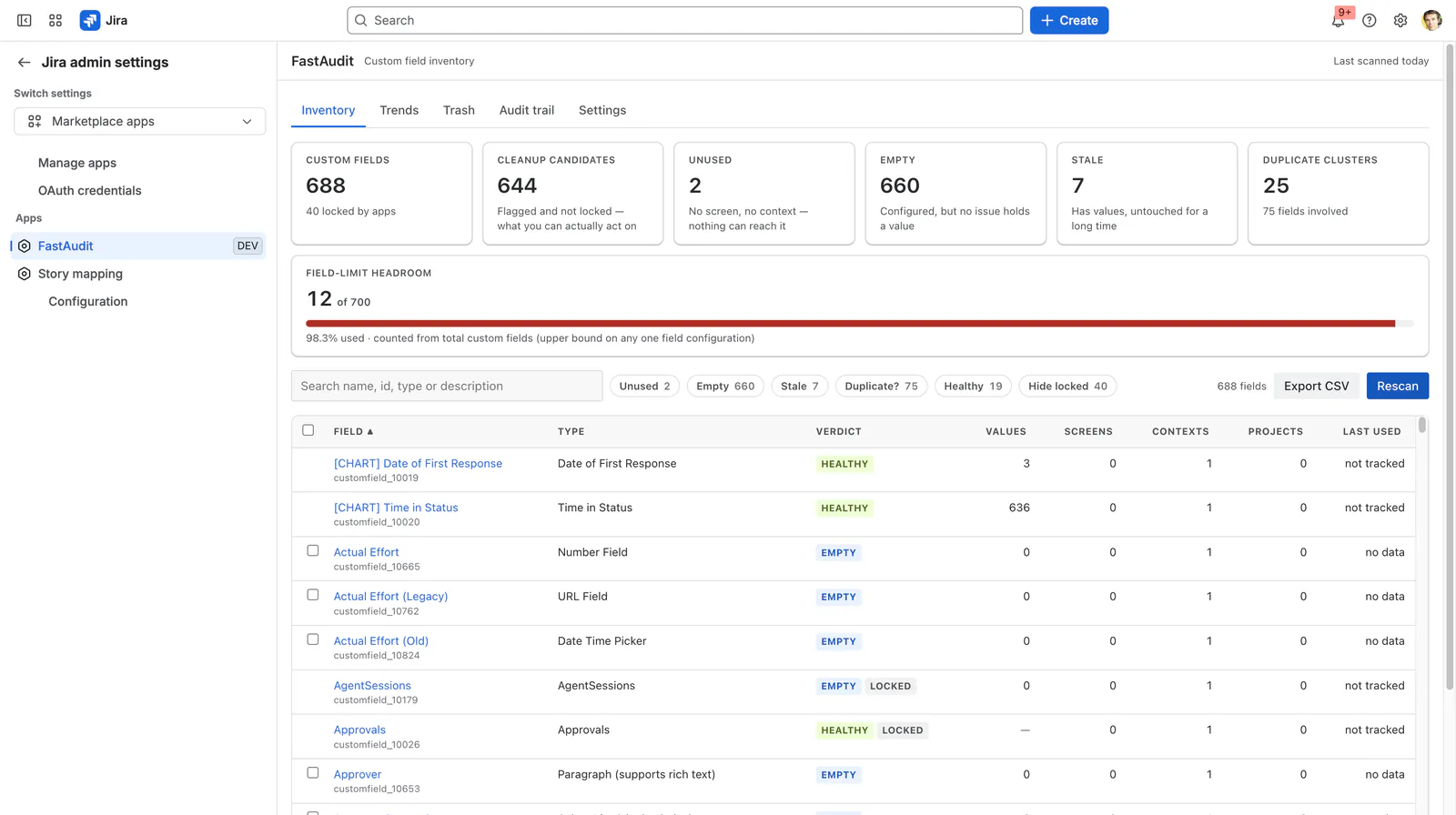
A judgement you can argue with
Each field is classified, and every classification shows its receipts.
| Verdict | What it means |
|---|---|
| Unused | No screen and no context, so nothing can even put a value in it. |
| Empty | Configured, sometimes across dozens of projects, but no issue has ever held a value. |
| Stale | Holds data that nobody has touched for longer than your threshold. |
| Duplicate? | Same type and a near-identical name to another field. |
| Healthy | Everything else. |
Evidence first, then a reversible change
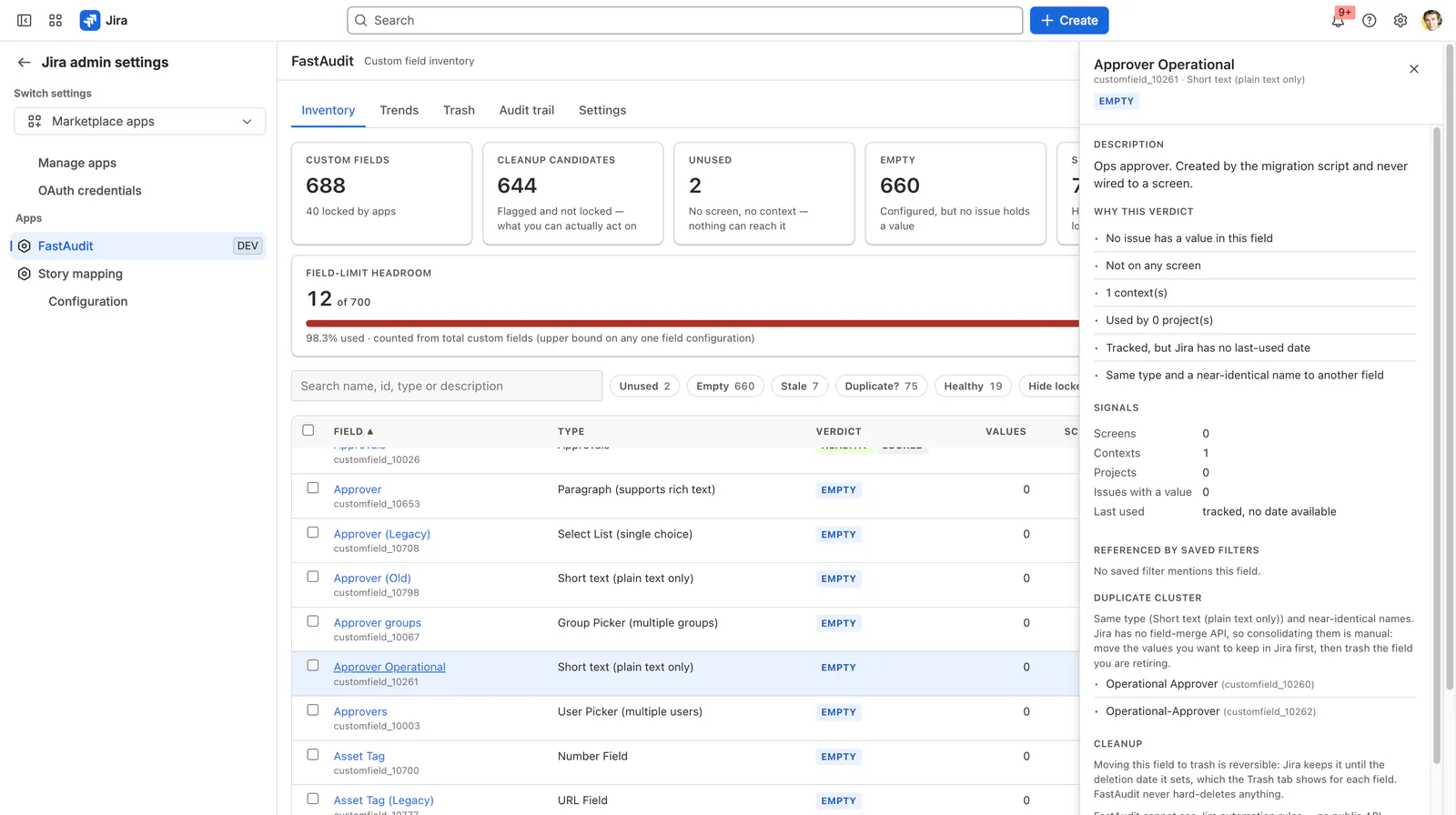
Every signal behind the verdict — including the ones that argue against deleting
Open any field to see the whole picture: screens, contexts, projects, issues holding a value, the date Jira last recorded it as used, the saved filters referencing it in their JQL, and its duplicate cluster.
Where a number could not be measured, FastAudit says so rather than showing you a zero.
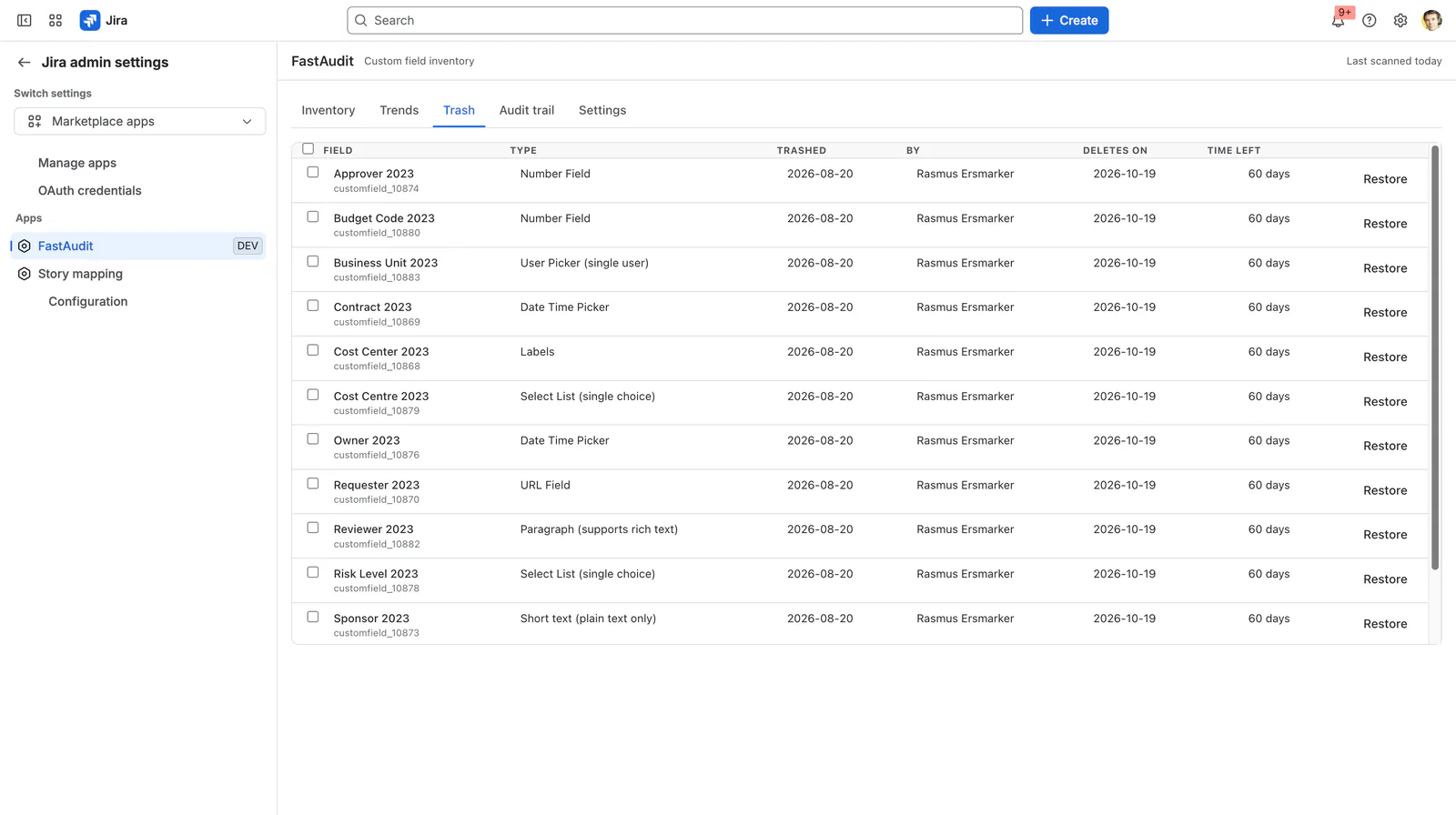
Cleanup that only ever moves a field to Jira's trash
Select candidates, review the blast radius — value counts, screens, contexts, projects, referencing filters — and move them to Jira's own field trash. FastAudit shows the deletion date Jira has set for each field, and restoring a whole selection is one action, not one click per field.
The app has no hard-delete capability at all. Fields locked by Jira or another app are reported but never touched.
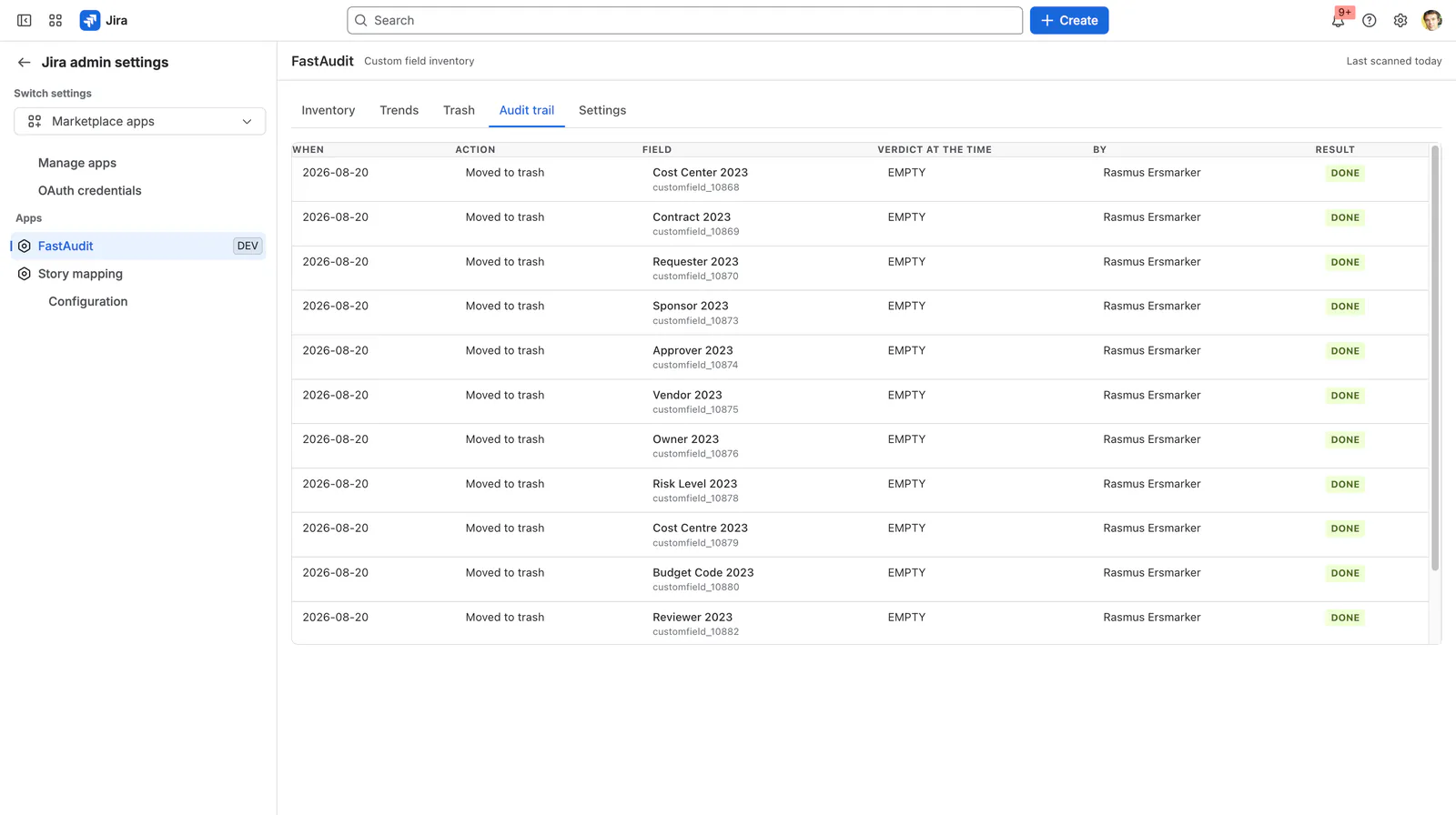
Prove the cleanup worked
Every action is journaled: what changed, who asked for it, when, and whether it succeeded — so “what did we clean up this quarter” is a page, not an archaeology project. Each entry is written before the action is reported as done.
Headroom over time, not just today
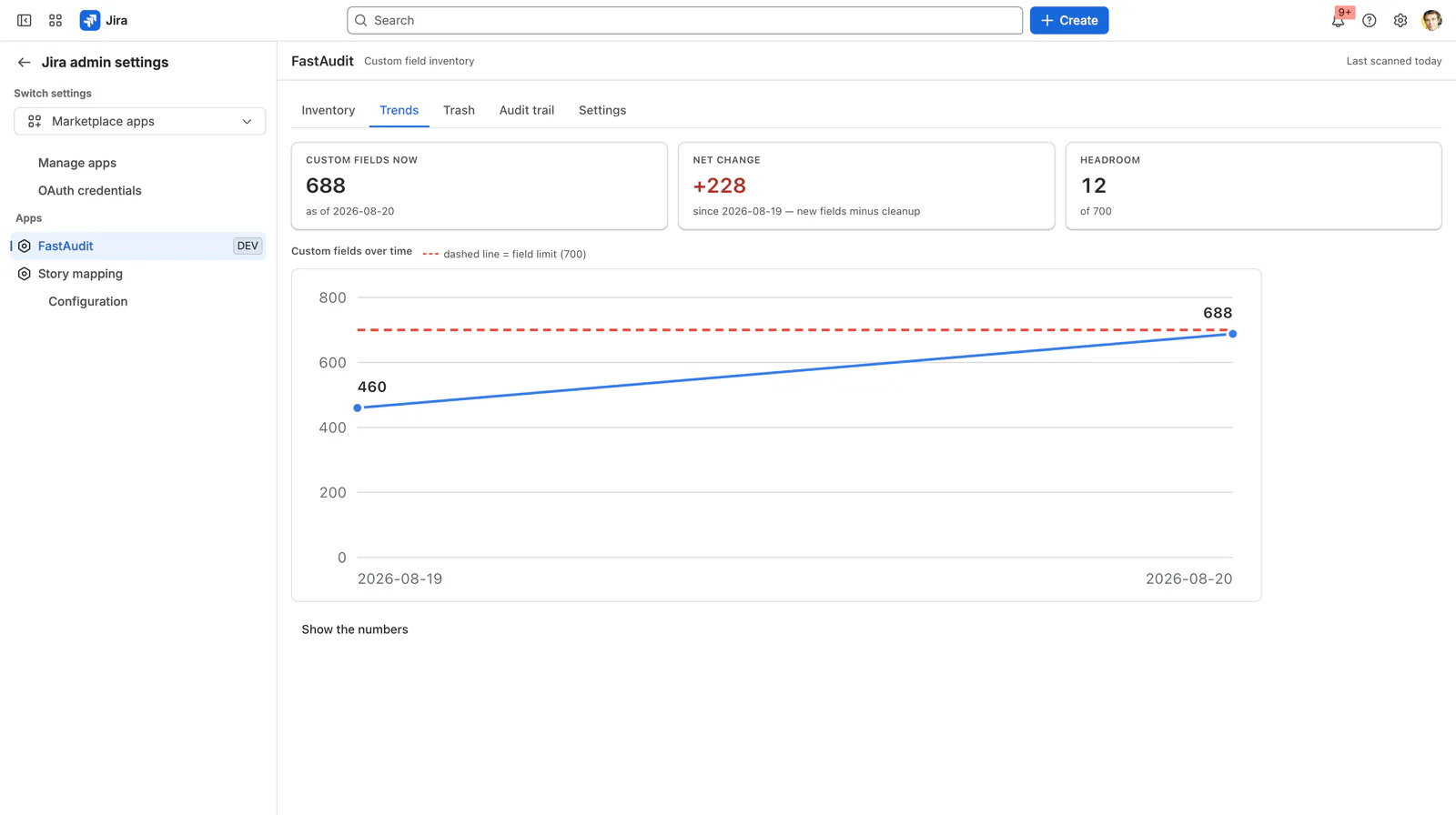
A weekly snapshot tracks your field count and limit headroom, so a cleanup effort has a line to point at. Any filtered view of the grid exports to CSV, generated in your browser, for the change request you have to attach it to.
What FastAudit cannot see
FastAudit tells you this at the moment you act, not in the small print.
Jira automation rules
No public API exposes them, so a field used only by an automation rule can look unused.
The 700 limit is per field configuration
FastAudit measures your total custom field count, which is an upper bound on any single configuration.
Last-used dates are partial
Jira only tracks a last-used date for some fields. Where it does not, FastAudit says “not tracked” and never calls the field stale.
How FastAudit compares to the alternatives
Optimizer and Doctor Pro audit far more than fields; Jira’s own Optimize flow covers part of this for nothing. The comparison page prices all of them at four site sizes and says which cases are not ours.
Get FastAudit for your Jira site
Install it from the Atlassian Marketplace, which carries the current pricing and tiers. The guide here covers every feature, every limit and the troubleshooting section.