 Nirama
Nirama Solutions
The change history Jira can’t show you
Jira’s History tab answers one issue at a time. The questions auditors actually ask span hundreds: who moved due dates last quarter, who reassigned everything in this project, what changed after the release froze. FastHistory answers those in one grid.
- On the Atlassian Marketplace
- Runs on Atlassian
- No data egress
- No write scopes
One report across any scope
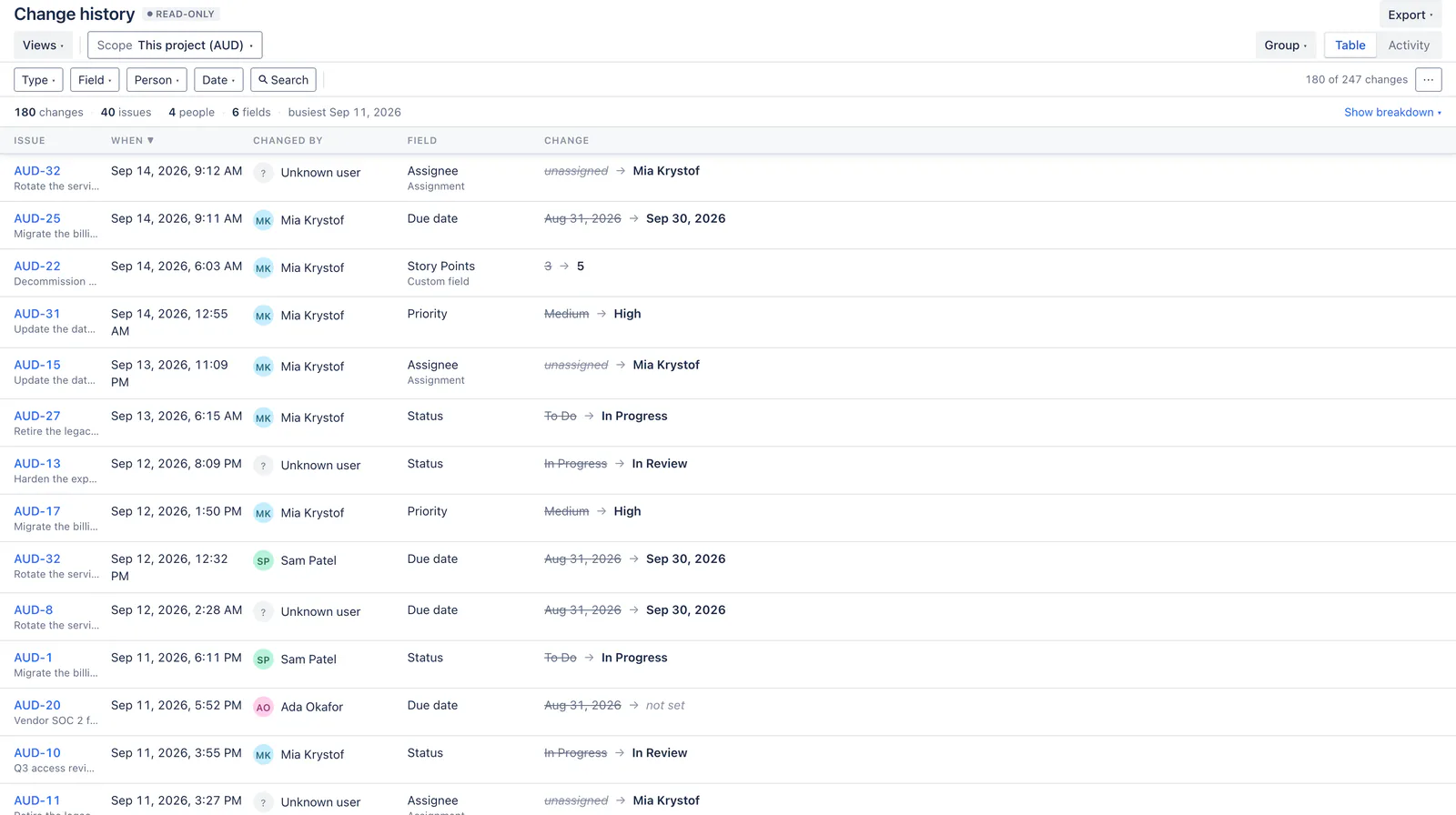
Point it at a project, a saved filter, a hand-picked set of issues, or raw JQL.
| Every row is one change | What it tells you |
|---|---|
| Issue | Which issue it happened on, clickable through to Jira. |
| When | The timestamp Jira recorded, to the minute. |
| Who | The person who made the change — or a plain statement that the account no longer exists. |
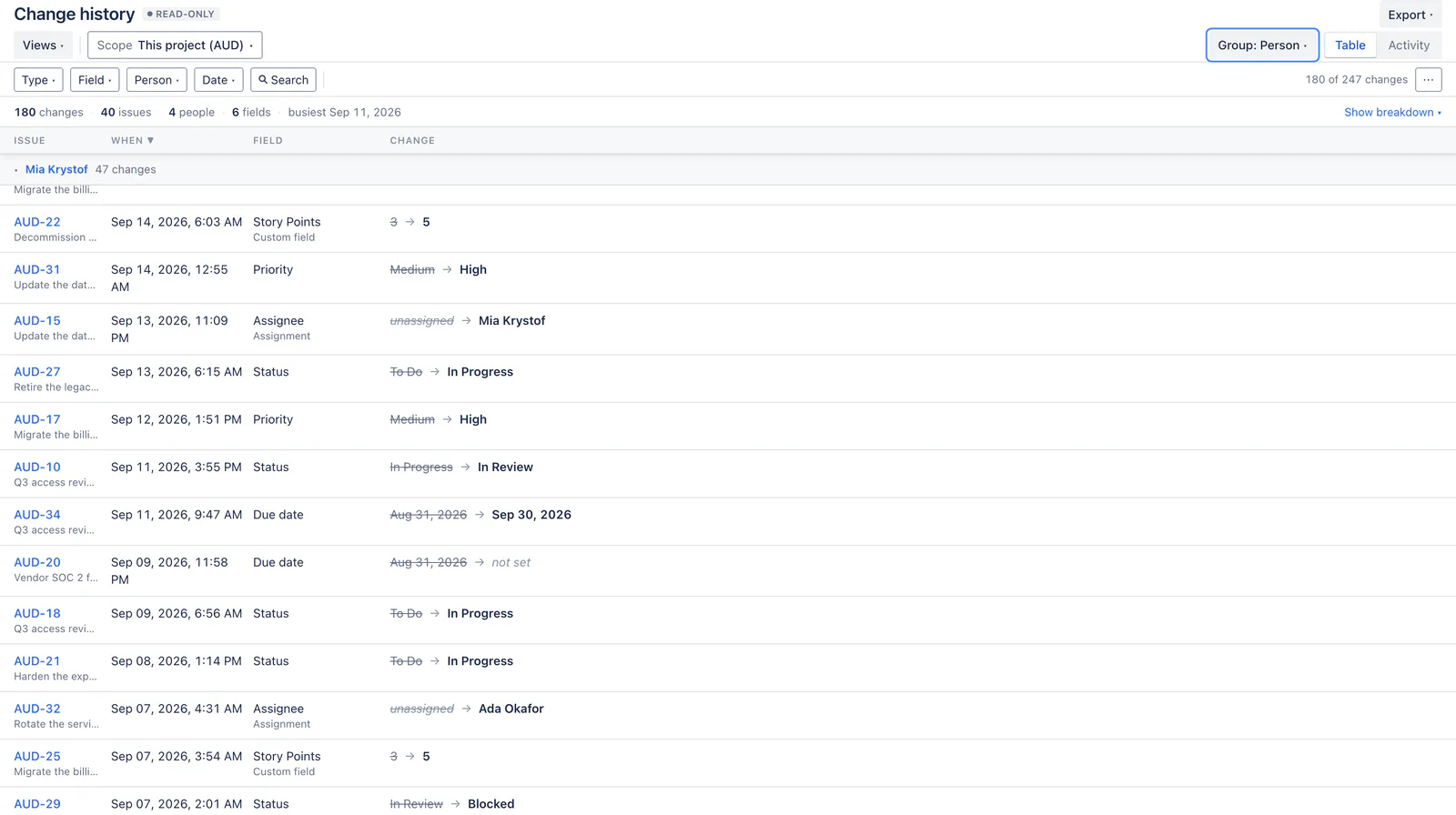
| Field | What changed, and its kind where that adds something (Assignee · Assignment, Story Points · Custom field). |
| Change | The old value struck through beside the new one, in a single cell so the evidence is never split. |
Built for the questions an audit actually asks
Bulk edits read as one event, not two hundred rows
The thing an auditor is usually hunting is precisely what a flat changelog buries: relabel 200 issues and the finding — one person touched 200 issues in a minute — becomes invisible because the evidence is so voluminous.
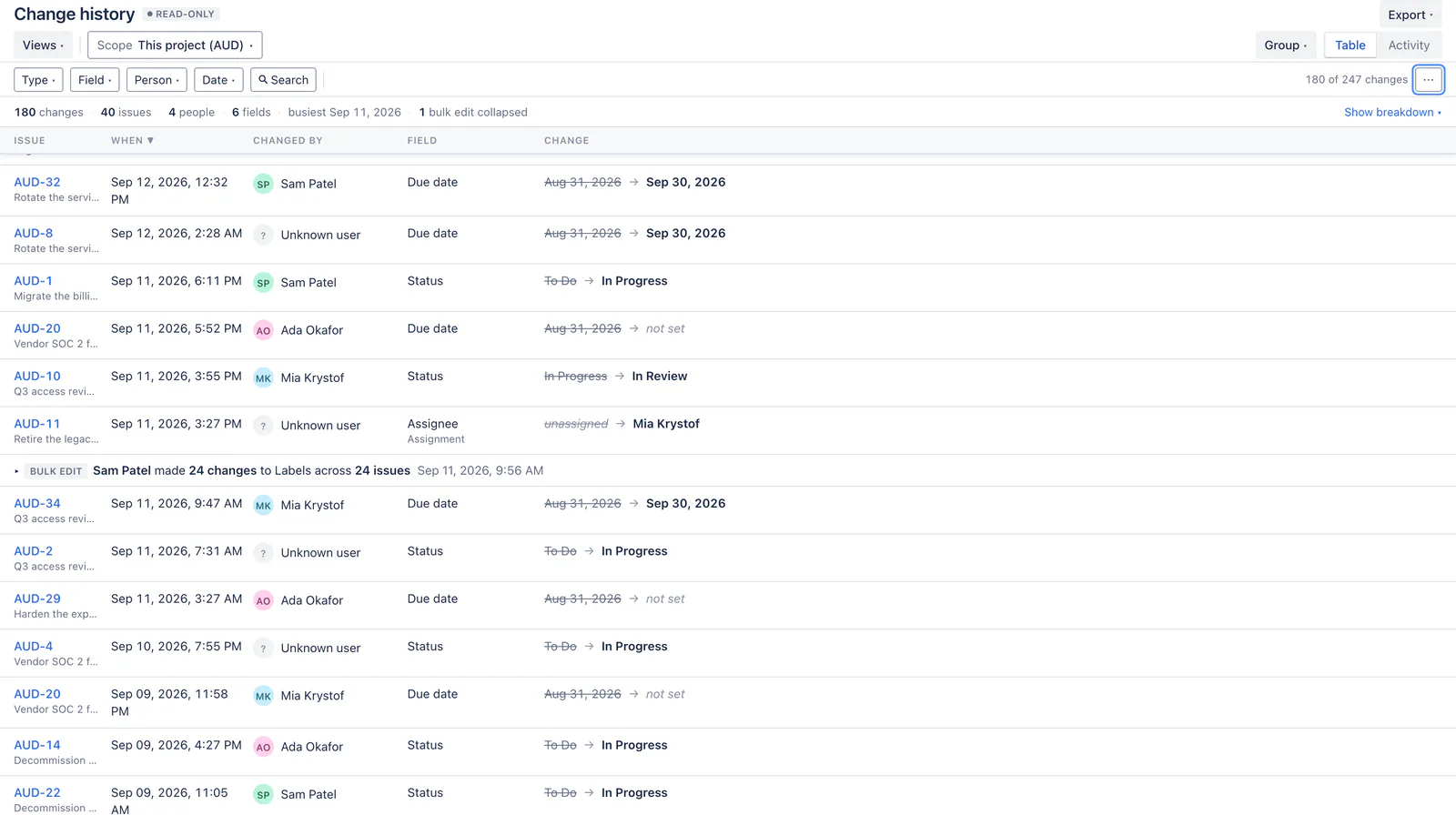
FastHistory clusters a person’s burst of near-simultaneous changes into a single expandable event. No competitor in this category appears to do this.
Expand it when you need the detail
One click opens the burst in place, showing every change it contains with the timestamps that made it a burst. The collapse is the finding; the expansion is the proof you attach to it.
See the spike before you start filtering
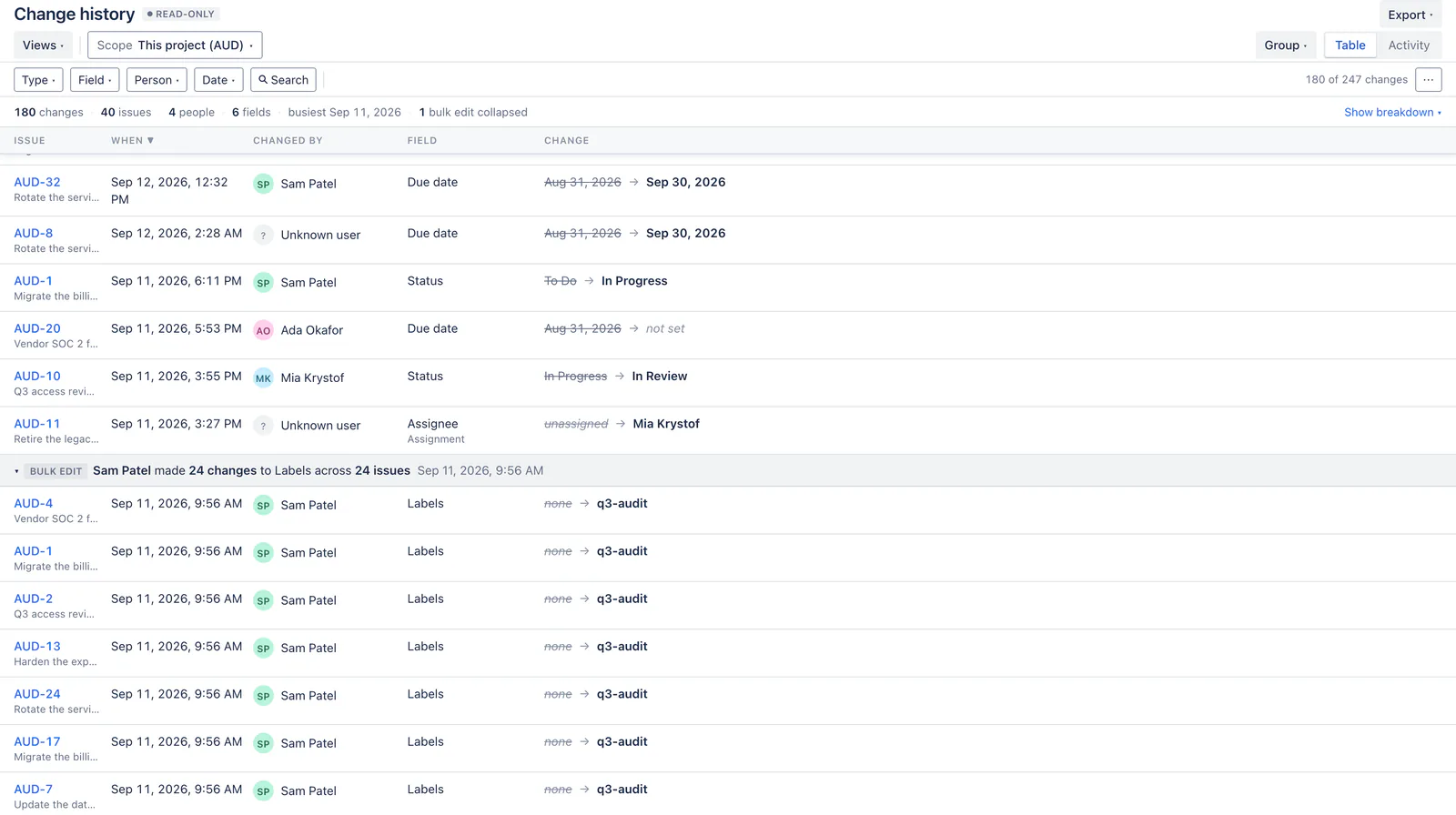
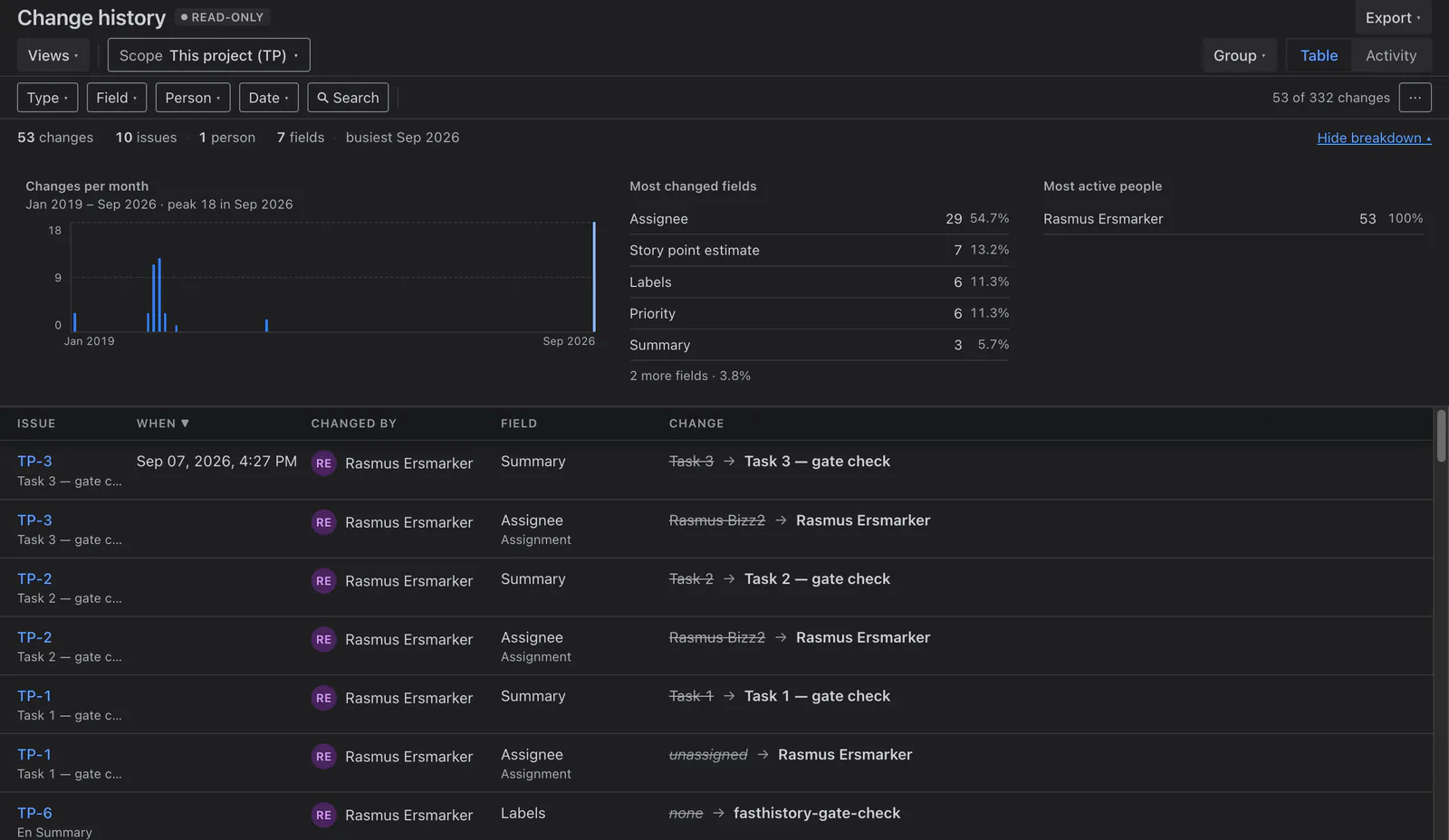
The summary strip above the grid counts changes, issues, people and fields, and charts changes over time. Open the breakdown for the busiest fields and the busiest editors, with their share of the total.
Rank and sprint churn is hidden by default, because on an active board it is most of the changelog and none of the answer. One toggle brings it back.
Group it the way the question is shaped
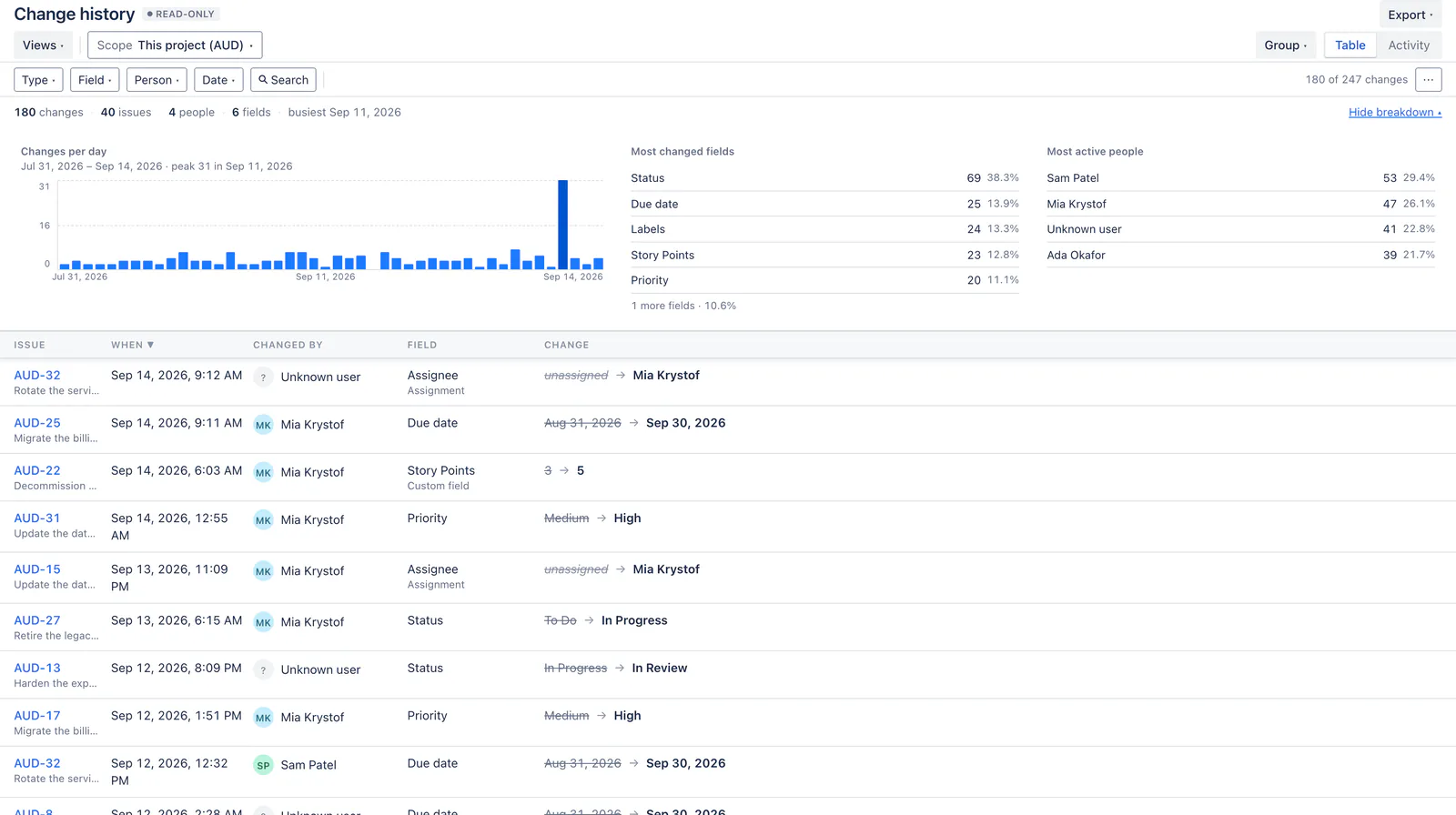
“Who did this?” is a different report from “what happened to this issue?”. Group by person, by issue or by field, and the column the grouping already states drops out of the table.
The History tab, but useful
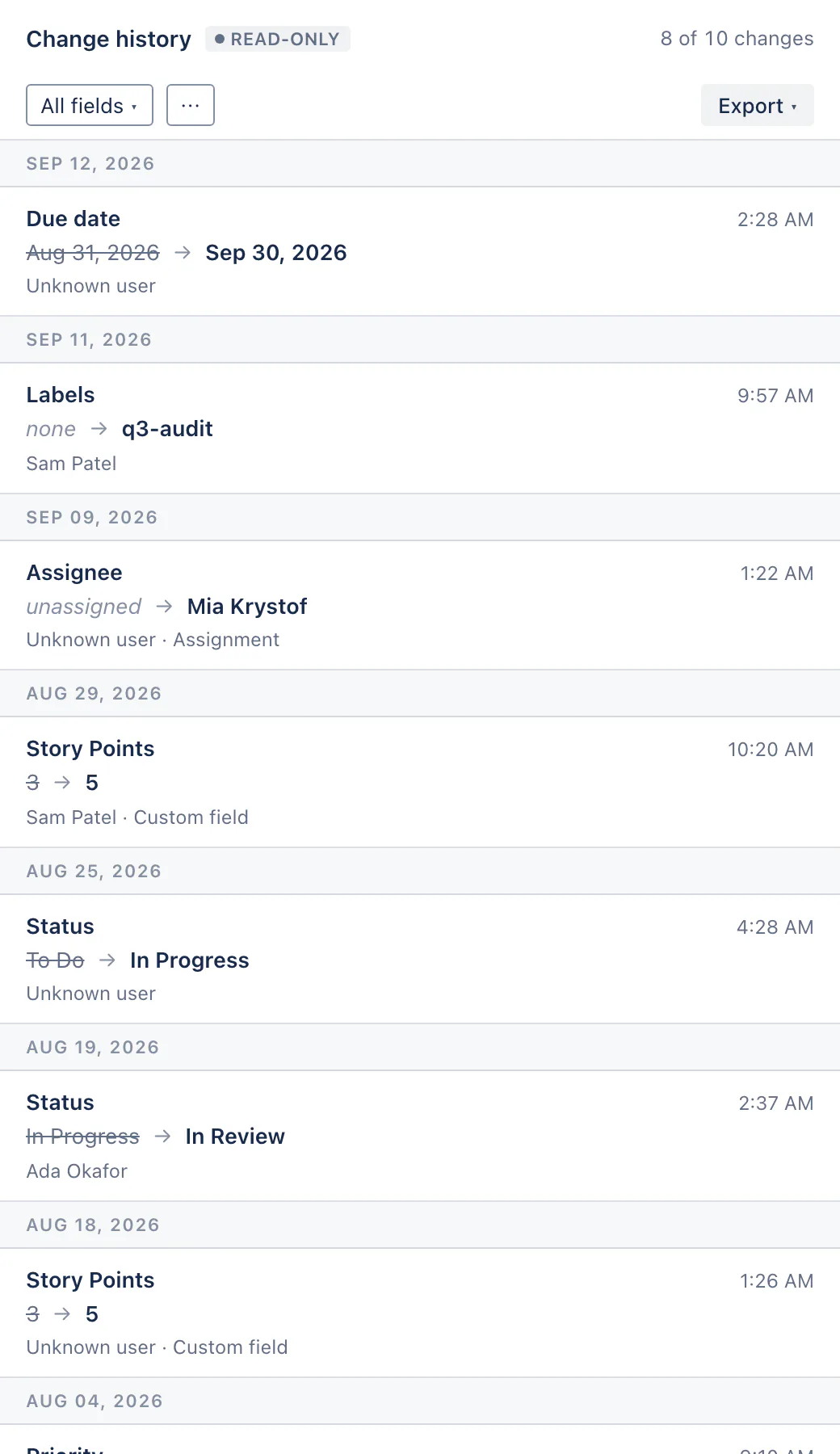
The same filtered grid scoped to the issue in front of you, in the issue view’s own column. It needs no screen configuration and no admin setup — the panel is placed by the app, so the first run is zero-config.
A recent-changes feed on any dashboard
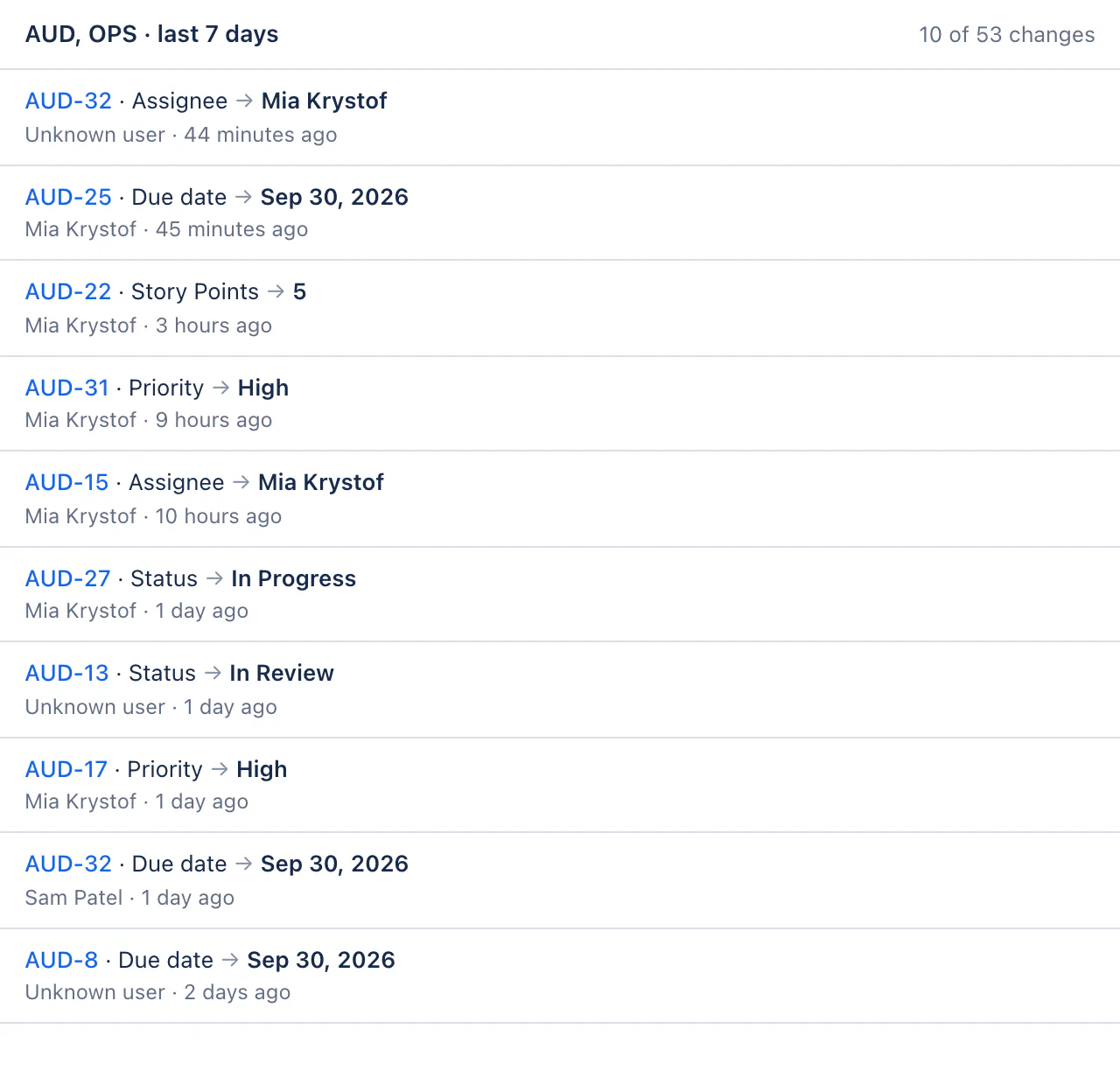
“What changed across my three projects this week” is a dashboard question, and the project page cannot answer it because it is bound to one project. The gadget takes any JQL scope and a window.
It runs as the viewer, so a shared dashboard shows each person exactly the changes they could already find in Jira’s own search.
Follows your Jira theme
Built entirely on Atlassian Design System tokens, so light and dark come from Jira itself rather than from a palette we invented. Nothing to configure.
This app cannot alter the record it reports
Not “we choose not to write” — no capability to.
No write scopes, ever
FastHistory declares two permissions: read Jira work, and its own app storage. A contract test fails the build if a write scope ever appears in the manifest, so the claim is enforced rather than promised.
Every read runs as you
A report shows exactly the issues you could already open in Jira, and nothing more. Two people can legitimately get different row counts from the same saved report — that is the permission model working.
Nothing is stored that could drift
Change history is never written to app storage. Every report is recomputed from Jira’s own record each time it runs, so what you see is the record, not a copy of it that went stale.
What FastHistory cannot do
Honesty about limits is the product’s own pitch, so they are here rather than in the small print.
It cannot restore or revert
That is the point of having no write scopes. If you want undo, this is the wrong app, and we would rather you knew before buying.
Comment and worklog text is not in the changelog
FastHistory can tell you a comment changed; it cannot show you the text, because Jira does not record it.
Old values are what Jira stored at the time
A deleted user or a renamed field shows as the string the changelog captured — the honest record, rather than a lookup that would quietly rewrite history.
It shows what you can see
A report is not a site-wide audit. It runs with your own permissions, by design.
Long histories are capped — and it says so
When a scope holds more change history than one report can read, FastHistory reports that in the grid and inside the exported PDF. It never silently truncates, and it never claims nothing changed when it simply did not read that far.
No compliance framework mappings
No SOX, no ISO, no “audit-ready” badge. We sell the report; your auditor decides what it satisfies.
Get FastHistory for your Jira site
Install it from the Atlassian Marketplace, which carries the current pricing and tiers — free for sites of up to 10 users. The guide here covers every feature, every limit and the troubleshooting section.