 Nirama
Nirama Solutions
Planning poker that feels built into Jira
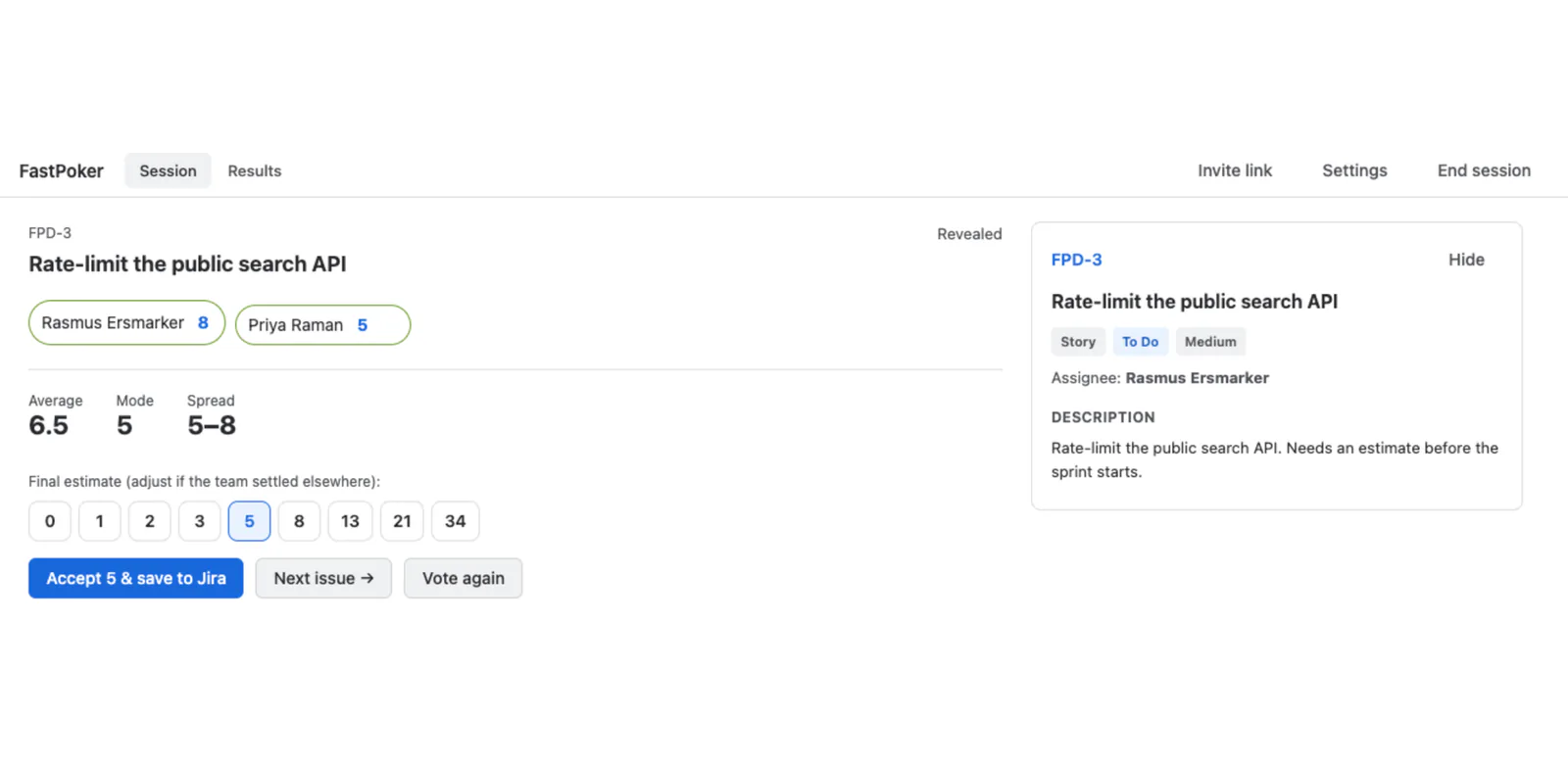
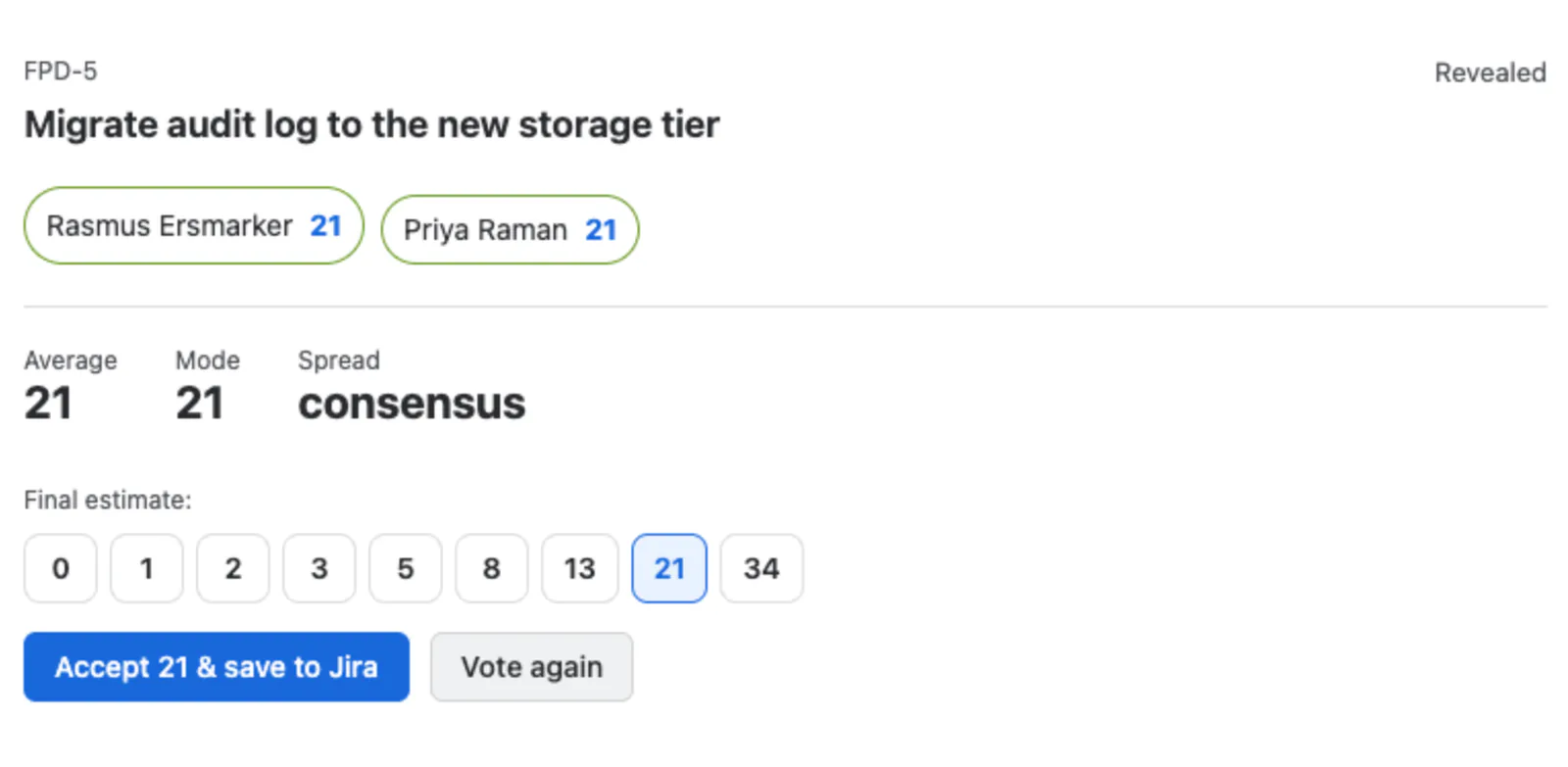
Start a session in any project, pick an issue from your real backlog, and everyone votes in secret. Votes reveal together — automatically once everyone has voted, or when the facilitator says so — with the average, mode and spread, so disagreement is visible instead of buried in an average.
- On the Atlassian Marketplace
- Runs on Atlassian
- No data egress
The whole round, without the friction
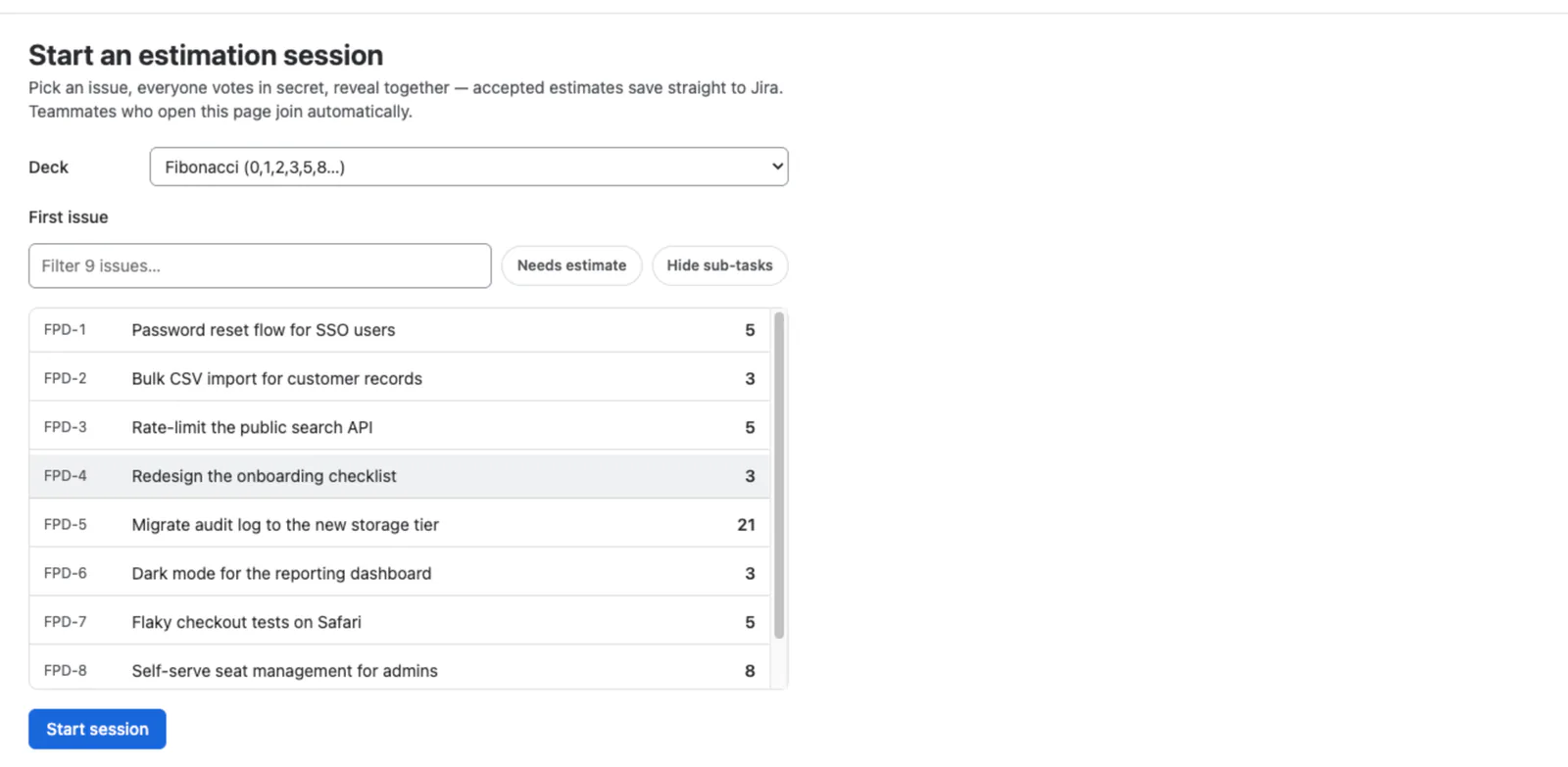
Estimate where the work already lives
No second tool, no invite links to a third-party site, no pasting issue keys. Your backlog is right there — searchable, with quick filters for what still needs an estimate, what is in the sprint, and whether to hide sub-tasks.
Votes stay hidden until everyone is in
Then they reveal together, with the numbers that matter for the conversation that follows.
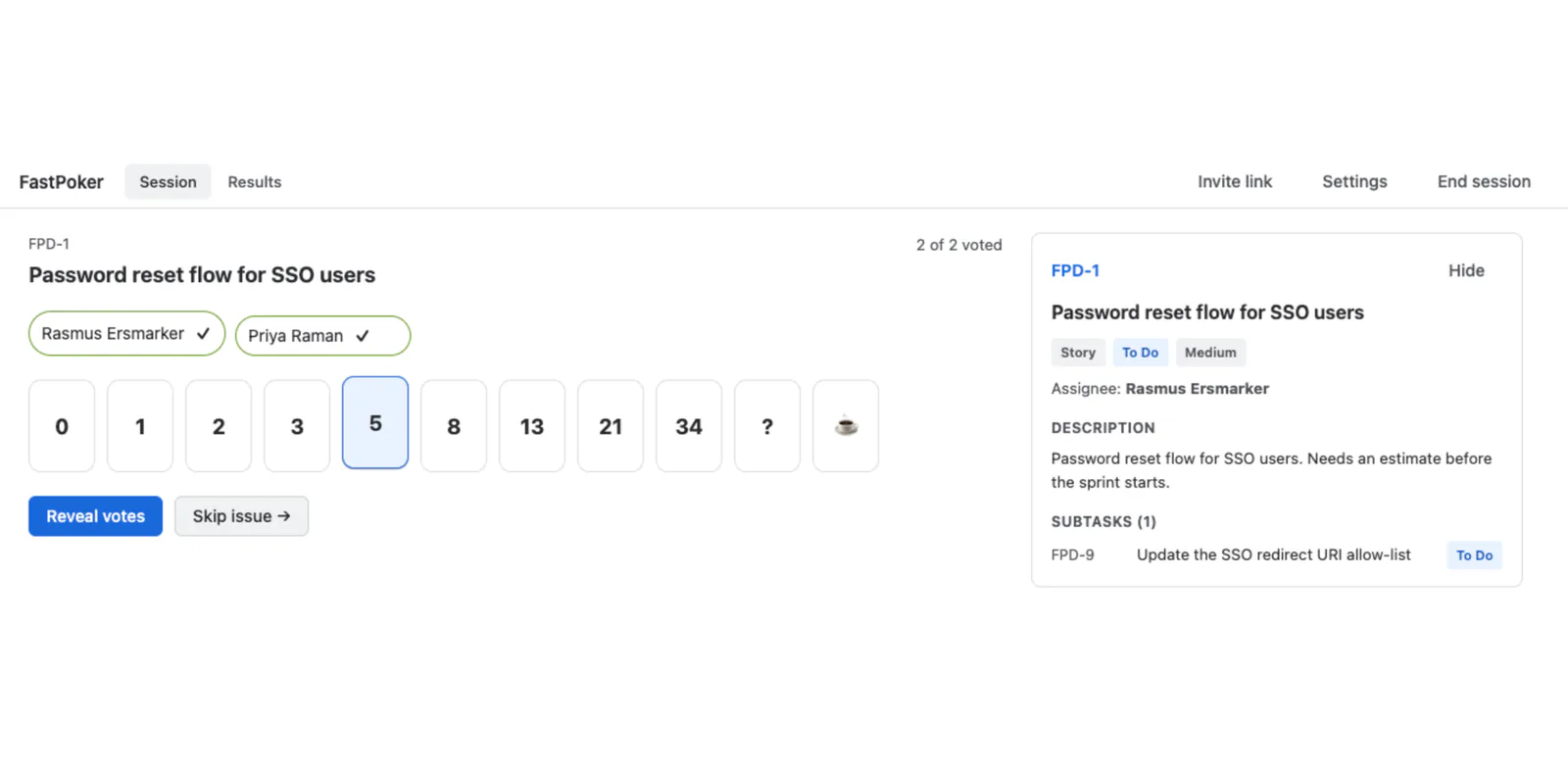
- Discuss and re-vote in one click.
- Override the number when the team settles somewhere other than the mode.
- Skip an issue that needs more information, or set a round timer.
- Votes are withheld from the API response until the reveal — including from the facilitator.
The agreed estimate lands in Jira
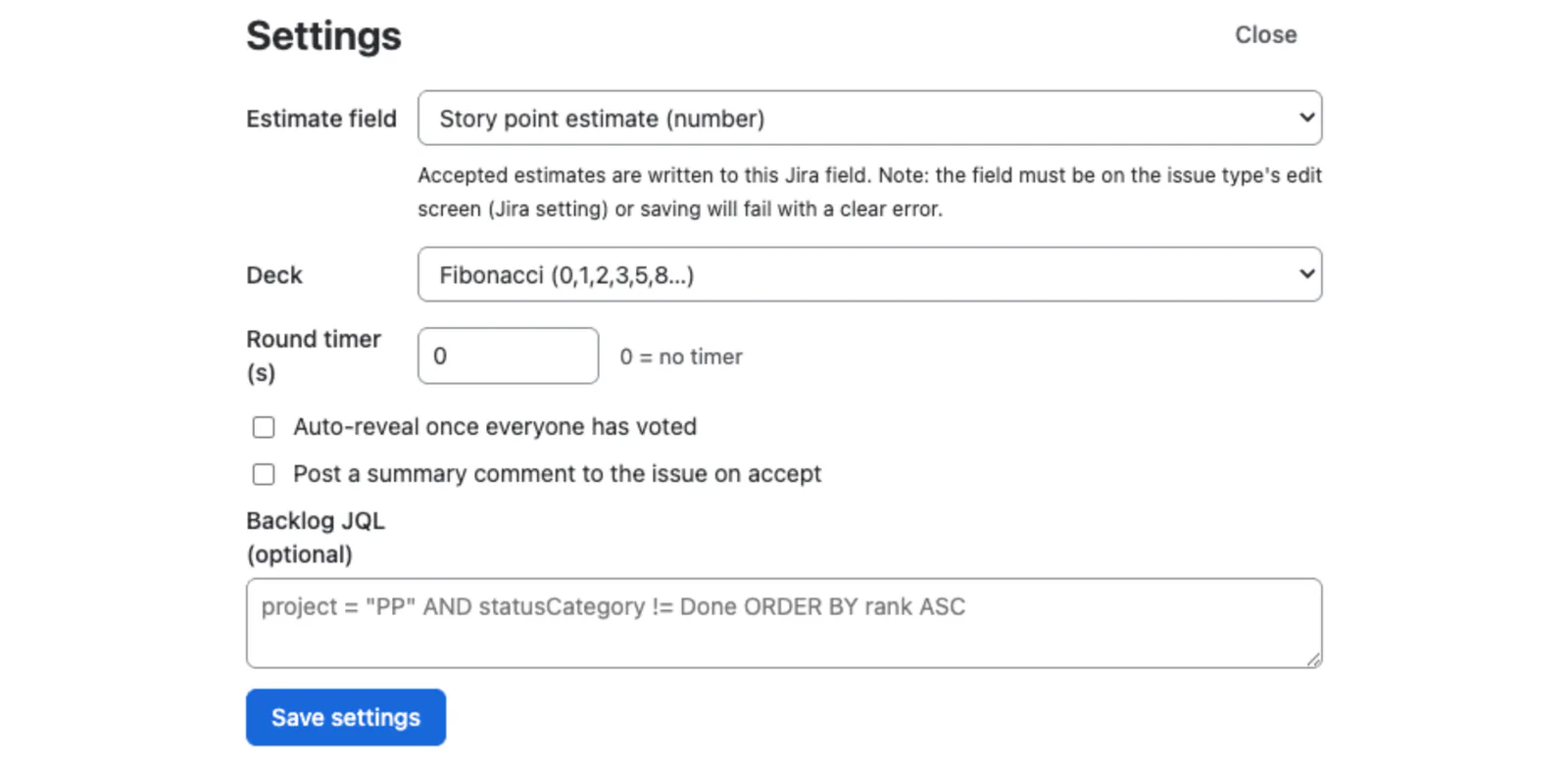
Choose the field it writes to: Story Points, Story point estimate, or any custom number, text or select field. If Jira's own configuration will not accept it on that issue type, FastPoker says so before anyone votes — and shows the fix.
Async estimation from the issue panel
Not every estimate needs a meeting. The issue panel runs the same round on a single issue, so a team in three time zones can vote when they get to it and reveal when everyone has.
A summary worth taking to the retro
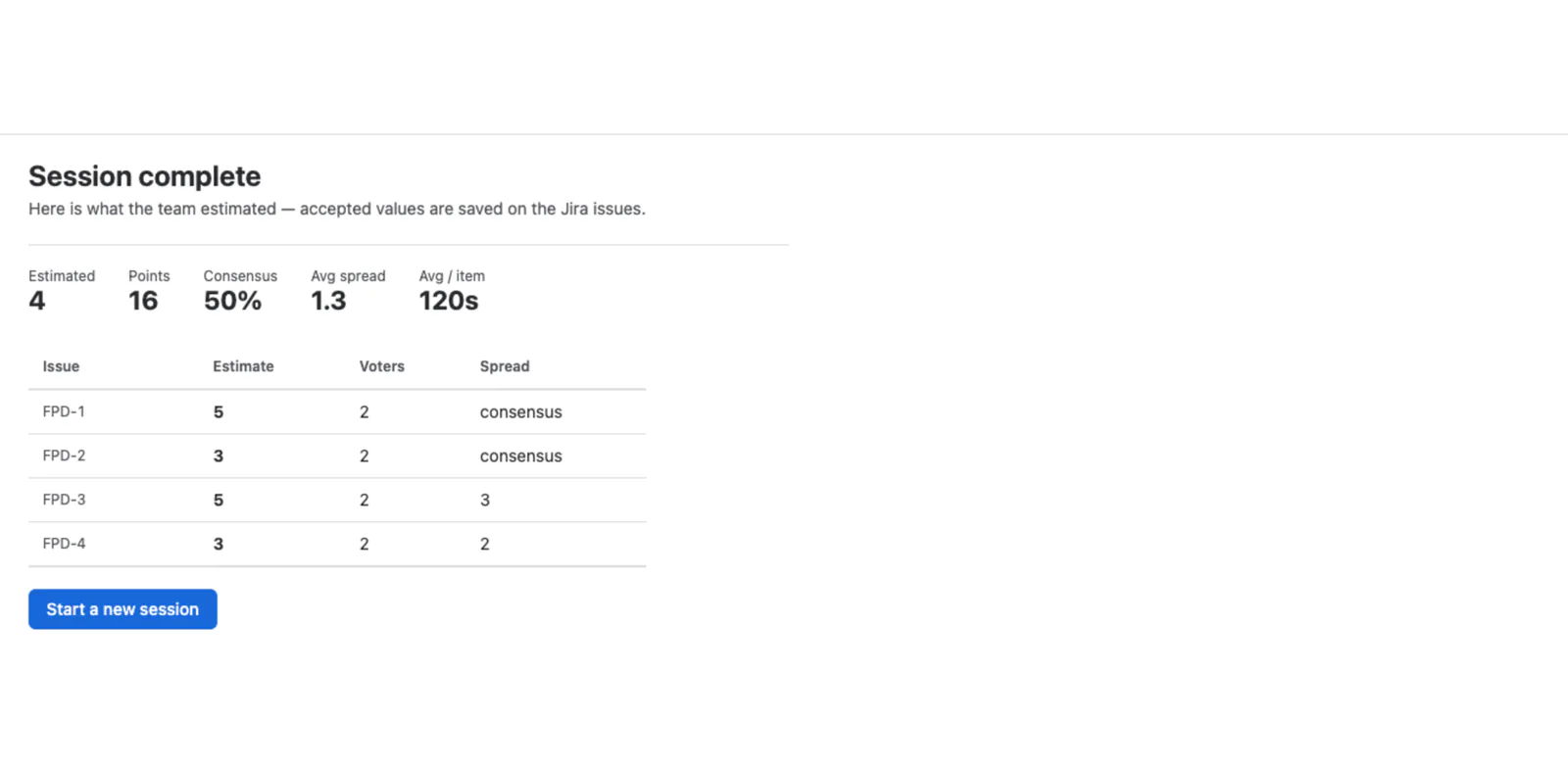
The Results tab lists every accepted estimate in the session: the issue, the estimate, how many people voted, and the spread — or consensus. An estimate that could not reach Jira is marked not saved rather than silently dropped.
When the session ends everyone sees how many issues were estimated, the total points, the share of rounds that reached consensus, the average spread, and the average time per item.
Nothing leaves your tenant, and no profiles are copied
- Stored in your tenant
- Sessions (project, settings, current issue, facilitator's account ID), votes (account ID, card, timestamp) and accepted estimates with their round statistics.
- Not stored at all
- Display namesThey are read from Jira at the moment the participant list is drawn, following Atlassian's guidance not to hold copies of user profile data.
- Cleaned up
- Closing or expiring a session deletes every row keyed by an account ID. What remains is the estimate history, which has no account IDs in it.
Facilitator-only actions — reveal, change issue, accept, close — are verified server-side against the invocation context, never a value sent by the browser. Every request is scoped to the caller's own project, so a session in one project cannot be read or driven from another. Full detail on the security page.
How FastPoker compares to the alternatives
The category leaders ask $292 and $359 a month at 100 users. The comparison page has the full table, explains why estimation apps feel overpriced, and points at the two async-first competitors with the best ratings on the Marketplace.
Get FastPoker for your Jira site
Install it from the Atlassian Marketplace, which carries the current pricing and tiers. The guide here covers every feature, every limit and the troubleshooting section.